
 Sign in

 Share
Share Tweet
Tweet Share
Share Pin it


 Resources


 Top reviews
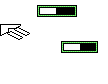 StarWars Galactic Battlegrounds Cursors
- Published on September 29th 2024 under the Custom (contact author) license.
>>>>>PLEASE READ!!!!<<<<<
I didn't make these, they're from a game.
They're on a 48 pixels canvas, so
to see them properly you'll have to
change cursor size, HERE'S HOW :
On Windows10&11
write "size" in the start bar,
click "Change Cursor Size",
set the slider to 2 or 5,
then apply a cursor set made from these!
On Windows 7 & prior
go to "run",
type 'regedit' in the window's text bar,
the Registry Editor opens,
go to the directory
Computer\HKEY_CURRENT_USER\Control Panel\Cursors
(you can copy-paste it in the window's top bar),
right-click on the "CursorBaseSize" value,
left-click on "Modify", then check "Decimal",
& change the value from 32 to '48' or '96',
for the heck of it even 144.
This change will apply on the next restart.
§
Star Wars : Galactic Battlegrounds
is a real-time strategy game developed by LucasArts,
& by the same house released in 2001 for Windows systems
(Mac port development was handled by
Westlake Interactive & released by Aspyr).
It's based on the very same GENIE engine used
for Ensemble studios' Age of Empires & Age of Empires II.
§
This set contains all the cursors seen in-game, ripped via screen captures (if there's any
unused cursors found only within the files,
I'm sorry but misa not clever enough to extract).
The lot however felt somewhat lackluster
for a desktop environment, so I got my hands dirty
& made a bunch of edited/custom stuff.
Check the change-log below!
Release serie2bis
Minor update :
-Added a couple extra diagonal variants ;
-Removed a 1-pixel artifact from the custom Xed atk cursors ;
-Fixed the residual 42x canvas diagonal ;
-Fixed hotspots on various circle cursors.
Back in serie 2 :
-Complete canvas revamp, from the wonky ;
registry-only 42x42 to a more reasonable 48x;
-Added flare cursor (((o)));
-Added the gray-blue unmovable arrow seen while
exiting a scenario test & reloading the editor ;
-Verified & fixed hotspots on circle cursors & rally point ;
-Two extra diagonal resizers per color & orientation,
you decide which ones are the most faithful ;
-Ugly custom horizontal resizers (arrows same size as the ones in "garrison");
-Two custom loadbars based off the research/construction/training
progress bar in the bottom, but with the same
green shades found in the vanilla cursors.
They have the same width of the two widest cursors in the game ;
-Two custom Xed attack crosshairs, inspired by
the "Indestructible object" entity found in
the scenario editor.
Back in serie1 bis :
-Custom diagonals, green & yellow-green ;
-Verticals, likewise ;
-Move, again likewise ;
-AND, dvlċīs īn fvndō,
3 custom context menu pointers.
TO DO :
-ADD THE CREDITS!!!
-Rip an in-game caret, if while-worthy?
-Green move cursors
-Custom row selector (spreadsheets)
-Custom arrow-less busy cursors off flare&build
-Sort out reconstructed big green arrow pointer from pre-release screeies?
-Custom loadbar WiB cursors possibly?
Tags: Sci-fi Star Wars Movie Game Application Windows XP Simple


 reddit