
 Sign in
Downloading free cursors (mouse pointers)
This library contains computer mouse cursors for Microsoft Windows systems. There are two types of cursors supported directly by Windows operating systems: static (.cur) and animated (.ani). Both types are present in this library. Learn how to download cursors.
Latest cursor sets
20 most recent cursor sets that follow the quality guidelines.








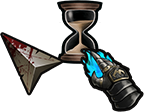




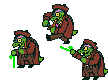

Browse all cursor sets
Click on a number above to display page with 40 cursor sets. The cursor sets are sorted by date.
Cursor junkyard
Not everybody uploads enough cursors to create a cursor sets. Such submittions end up on the cursor junkyard. Despite the name, there are some worthy pieces. Check them out.
How to change the mouse pointer?
If you change your cursors frequently, consider using a free tool that allows you to change cursor from Windows Explorer context menu. Beside changing cursors one by one, the tool also allows exporting and importing cursor schemes.
If you do not want to install any software, just click on Control Panel in Start menu, then double-click the Mouse icon and switch to Pointer tab. Here you can change the cursors used by Windows in different situations to the downloaded ones.
Adding your cursors to the library
If you are an author of a cursor or cursor set, you may present your work to visitors of this web site. To add your cursors to the library:
- Get RealWorld Cursor Editor (it's free).
- Open a cursor file, and click the command "Cursor"->"Add to Online Library" from application menu.
- When uploading, please use the same email address associated with your account on this server.
- Carefully choose file name and fill in the description. This helps people to find your cursor when using the search box.
- The cursors are by default added to the "Junkyard". If you have already added multiple cursors with similar theme and you would like to have them turned into a cursor set, register or login and return to this page.
Important: only cursor authors or copyright holders may add cursor to the library. If you are using pictures downloaded from internet to create cursors, you must make sure the author of the pictures allows this use of their work.
If you have found that someone has used your pictures and added them to the library without your permission, contact us immediately at info@rw-designer.com and they will be removed.
Important: always create 32x32 pixels cursors unless you have a serious reason not to. While it is possible to make cursors of non-standard size, Windows will automatically resample them decreasing image quality.
 reddit
 Facebook share
Find out how Vista icons differ from XP icons.
See how RealWorld Icon Editor handles Vista icons.
Saucer stage top 5