 Sign in



















































































































 Anonymous
on January 30th 2019
0
Anonymous
on January 30th 2019
0
siamo nel 2019 ...
faccio prima ad elencare i template che funzionano ....
solo una decina su circa 190 ...
tutti gli altri non ne vogliono sapere di funzionare...
nonno settantenne ...

 |
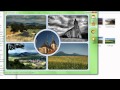
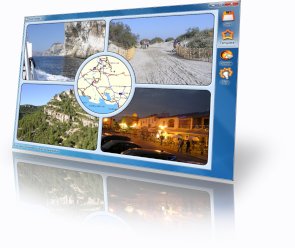
Card Creator 1.0"Make greeting cards from your photos." |
 |
 | ||
Download
| ||
System requirements
|
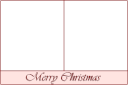
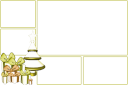
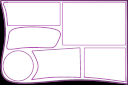
Card Creator allows you to make cards using one of the three built-in templates, but it also allows you to use custom templates for more variability. To use a custom template:
Have you created templates you would like to share with others? Send them to info@rw-designer.com
Making a custom template requires basic skills with the (free) RealWorld Paint image editor. A template is every image that fulfills the following criteria:
If the last condition sounds confusing, download and open one of the templates in Paint.COM and all will be clear.
Look to the tutorial video - How to create own template.
Card Creator is free to use for any legal purpose. Author is not responsible for any damage caused by improper usage or an error in the tool.
Donations are welcome!
 Recent commentsAnonymous
on January 30th 2019
0
Recent commentsAnonymous
on January 30th 2019
0
siamo nel 2019 ...
faccio prima ad elencare i template che funzionano ....
solo una decina su circa 190 ...
tutti gli altri non ne vogliono sapere di funzionare...
nonno settantenne ...
Anonymous
on January 31st 2019
0
Heeeeiiii Trovata la soluzioneeeeee!!!
Riepilogo:
avevo scaricato moltissimi template di file con estensione .rli
ebbene ... la stragrande maggioranza non funzionavano ...
ne ho caricati parecchi su "RW-Paint-COM-2013.1" ho fatto varie
prove ma niente ... continuavano a non funzionare ...
poi per caso ho trovato la soluzione ...
per caso mi sono imbattuto in una vecchia versione ...e cioè ...
RW-Paint COM 9.1.0 ... sorpresa sorpresa ...
se si caricano i template su questo software e poi si risalvano ...
senza fare nessuna operazione ... si capito bene caricare i tenplate e salvarli ...
ebbene non so cosa succede ... ma i templte funzionano alla grande su Card Creator 1.0 ...
penso che i template scaricati ... siano stati creati con:
"RW-Paint-COM-2013.1" ... ma questo produce file.rli incompatibili con Card Creator 1.0 ...
Ho passato una giornata a caricare e salvare template ...
ma ora funzionano alla grande ...
mi sono dilungato troppo ...
saluti a tutti ... quasi nonno settantenne
meditate gente primoarmigeri meditate ... Ciaoooo!!!
Anonymous
on April 21st 2019
0
thank you for makeing this program/sotfware. this website is the software heaven on utilities! 😁
Anonymous
on May 5th 2019
0
Hello,I have a question-who is the author of the templates-poscards?
The authors of these templates-poscards are various users, like cdl, Vlasta, Sirea, Erik, The Male Boss, etc. Not everyone that makes those templates-poscards are just admins or contributors. Also, to use them just drag the template-poscard to CardCreator and then release, after doing that it will appear the template there. I hope this helped you 😊
-Vlateron
This is extremely cool!
im doing a glitch and its very cool I was wondering if any of you guys know about the glitch called " ELTRENO " ? If you do please let me know it will be helpful!
Anonymous
on June 7th 2022
0
Thank you very much.
Mirza
on April 20th 2023
0
love this wabside
kingrizzler
on March 5th
0
i love this website
 PENDAR
on July 29th
0
PENDAR
on July 29th
0
how do i install templates?