 Sign in
 Anonymous
on July 28th 2013
0
Anonymous
on July 28th 2013
0
I dnt know
do u know ? 😞

The Online Page is available in all RealWorld Designer application and can be accessed by opening a new window and clicking on the Online button by the left side of the window.
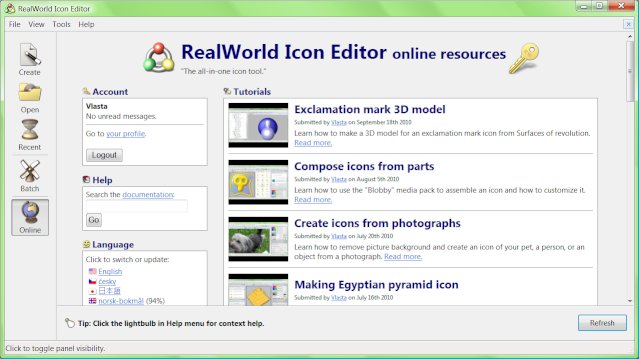
The online page has multiple functions:
 Recent commentsAnonymous
on July 28th 2013
0
Recent commentsAnonymous
on July 28th 2013
0
I dnt know
do u know ? 😞
 Noah Bear
on January 3rd 2015
0
Noah Bear
on January 3rd 2015
0
I don't know about this 😞
Anonymous
on August 30th 2020
0
Los programas de RealWorld son completamente compatibles con Windows 10. No hay nececidad de hacer una version exclusiva para Windows 10.
Anonymous
on October 31st 2020
0
yo lo intento pero no sale 😞
Joe
on June 5th 2021
0
Concern
This program is old and needs updating.
Anonymous
on April 24th 2025
0
sex
nonono
on February 23rd
0
h
hmm
on June 22nd
0
h
Harry
on August 6th
0
So, cursor editor able to export to XCursor or not? Looks like there's no GUI software in world for XCursor creation.
Find out how Vista icons differ from XP icons.
See how RealWorld Icon Editor handles Vista icons.
 reddit
 Facebook share