 Sign in
 ekkf
on May 13th
0
ekkf
on May 13th
0
hey!

|
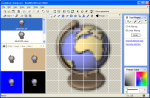
Professional icon makerThis web application allows creation of 16x16 icons (favicons) using simple drawing tools. If you require a crystal-clear icon with smooth edges, shadows, or other advanced effects, please consider using our professional 3D icon editor. |
Find out how to modify your web pages to display favicons.
Download icons from the icon library.
Download RealWorld Icon Editor to create professional icons.
Important: This online icon maker requires a web browser with Javascript 1.2 support such as Internet Explorer 6, Firefox, or Opera. If you are experiencing problems, make sure that you are using one of the supported browsers and Javascript ("Active content") is enabled.
 Recent commentsekkf
on May 13th
0
Recent commentsekkf
on May 13th
0
hey!
 chrissy cunningham
on May 15th
0
chrissy cunningham
on May 15th
0
i dont like strangers
insane girl
on May 18th
0
😇 😊
rw48
on May 23rd
0
is this fake????😠
shadow slayer
on May 26th
0
awesome dude
ahmad
on June 12th
0
hi
officialhi
on June 27th
0
cool
Poet Lanthirey
on July 3rd
0
I love the creators of this site. What a wonderful little treasure and community this is 😊 Thank you for making this treasure.
Omer
on July 4th
0
Really cool, made one of my personal folders an up-close shot of a house rotated 45 degrees with a door and a window
 [ __ ] Scrit
on July 11th
0
[ __ ] Scrit
on July 11th
0
Here's my favicon 
 reddit
 Facebook share